Looking to build business applications and automate processes without heavy coding? At Openminds Technologies, our Power Apps and Power Automate courses in Hyderabad help you learn how to design and develop real-world business solutions using Microsoft Power Platform.
From creating user-friendly forms, apps, and dashboards to connecting data sources, automating repetitive tasks, managing approvals, and streamlining business workflows, the courses focus on practical skills used across industries. You’ll gain hands-on experience in building applications and automated workflows that improve productivity, reduce manual effort, and solve everyday business problems.
Learn with us and discover how powerful low-code applications and workflow automation can be when you know how to build them right. With Power Apps and Power Automate, you’ll learn to create practical business applications, automate repetitive tasks, connect data, and build efficient workflows that help businesses save time and improve productivity.
Expert Trainer | Hands-on Training

duration






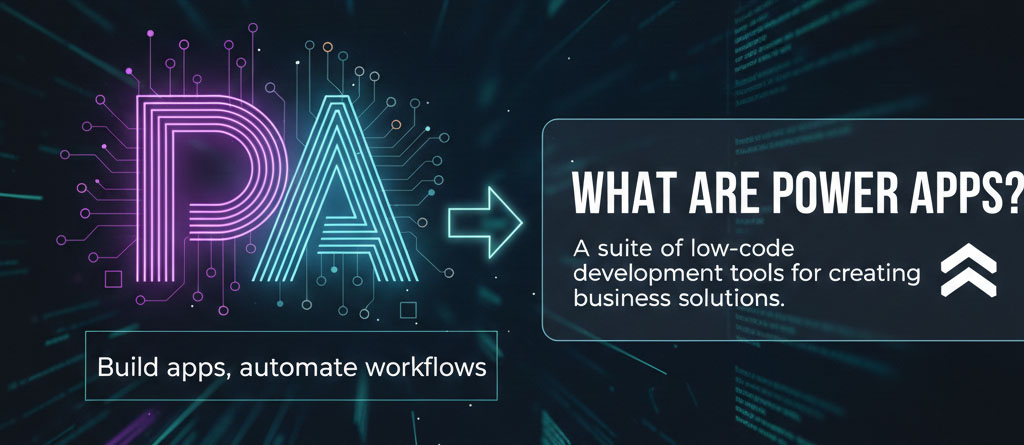
Power Apps and Power Automate are key components of Microsoft’s Power Platform, a suite of tools that enables businesses to build applications, automate workflows, connect data and applications, and analyze information with minimal coding. Together with tools such as Power BI, they help organizations streamline repetitive tasks, improve productivity, and create efficient business solutions without requiring extensive programming knowledge.
The Power Apps and Power Automate training is a structured program that teaches you the complete process of designing, building, customizing, integrating, deploying, and managing business applications and automated workflows. You’ll also learn to work with related Microsoft Power Platform tools such as Dataverse, Connectors, and Power Apps/Power Automate, enabling you to create connected, efficient, and practical business solutions with minimal coding.
The beauty of Power Apps and Automate lies in its accessibility. It’s used by a diverse range of professionals, not just traditional developers.

Citizen Developers
IT Professionals & Developers
Data Analysts
Business Analysts & Process Managers
Freshers & Aspiring Automation Professionals
Business Users & Operations Teams
Power Apps and Power Automate are valuable skills for anyone looking to grow their career or improve business processes, from freshers to experienced professionals. Fresh graduates can use these low-code tools to enter the IT, app development, and automation fields, while business users can build applications and automated workflows to reduce repetitive tasks, streamline approvals, connect applications, improve productivity, and solve everyday business challenges.
The Power Apps and Power Automate course training in Hyderabad is ideal for:
Aspiring IT professionals, business analysts, and working professionals can add Power Apps and Power Automate to their skill set to build practical business applications, automate workflows, improve productivity, and enhance their career opportunities.

Connect these apps to data sources like Dataverse, SharePoint, SQL etc.
Master Workflow Automation
Learn to create automated workflows for everyday business processes.
Build Business Integrations
Connect Microsoft and third-party applications using Power Automate connectors.
Automate Real-World Processes
Develop workflows for approvals, notifications, data management, and repetitive tasks.
Power Apps Studio interface
Connecting data sources (Excel, SharePoint, Dataverse)
Creating basic screens and layouts
Triggers, actions, and flow configuration
Conditions, approvals, and automated notifications
Variables, expressions, loops, and dynamic content
Forms, galleries, and controls
Data validation and input handling
Using collections and variables
Standard and premium connectors
SharePoint, Excel, Outlook, Teams, and Dataverse
Connecting third-party applications and services
Core Power Fx formulas
Logic functions (If, Switch)
Working with filters, lookups, and calculations
Working with functions and expressions
Data types, formatting, and string manipulation
Date, time, and conditional expressions
Designing responsive apps
Themes, layouts, and navigation
Best practices for usability and performance
Automating workflows with Power Automate
Triggering flows from Power Apps
Email notifications and approvals
User roles and permissions
App sharing and environment management
Versioning and maintenance
Building business apps from scratch
Testing and publishing apps
Practical projects and use cases
Creating automated approval workflows
Multi-level approvals and response handling
Notifications, reminders, and escalation workflows
Introduction to Power Automate Desktop
Automating desktop applications and repetitive tasks
UI automation, variables, and error handling
AI Builder and intelligent automation
Copilot features in Power Automate
Advanced workflows, error handling, and troubleshooting
Building end-to-end business automation projects
Flow monitoring, testing, and performance optimization
Security, deployment, maintenance, and best practices

Hands-On Training
Practice building real-world automated workflows.
Use of Dataverse as backend, custom connectors
Real-Time Projects
Work on practical business automation scenarios.
Expert Guidance
Learn from experienced Power Automate trainers.
Video Share
Power Apps and Automate Developer
Business Process Automation Specialist
Automation Consultant
Power Platform Developer
Yes, absolutely. Power Apps and Power Automate are excellent career options for freshers interested in low-code development, workflow automation, and Microsoft Power Platform technologies. Learning both skills helps aspiring IT professionals and business analysts build custom business applications, automate repetitive tasks, improve productivity, and create efficient digital solutions. Together, Power Apps and Power Automate can provide strong career opportunities in today’s growing low-code and automation industry.
Yes, we offer live, instructor-led online training for Power Apps, and most institutes in Hyderabad also provide live online Power Apps training. These programs are designed to help learners gain practical knowledge of Power Apps, low-code development, and Microsoft Power Platform technologies from experienced instructors.
Yes, many training centers provide one-on-one, personalized Power Automate training sessions. If a trainer is available at your preferred time, we can provide personalized Power Automate training based on the learner’s requirements, skill level, learning pace, and specific learning goals.
Trainers at reputable institutes like Openmind Technologies are typically experienced professionals with real-time industry knowledge, with many trainers having 5 to 10+ years of industry experience. They provide practical, instructor-led training based on real-world business scenarios, helping learners understand how Power Platform technologies are applied in actual workplace environments.
Learners can consider Microsoft Power Platform certifications to strengthen their skills and career opportunities. Key certifications include Microsoft Certified: Power Platform Fundamentals (PL-900), Microsoft Certified: Power Platform App Maker (PL-100), and Microsoft Certified: Power Automate RPA Developer Associate (PL-500). The most suitable certification depends on whether the learner wants to focus on Power Apps, Power Automate, or the broader Power Platform ecosystem.
The average salary for a Power Apps and Automate professional in India can range from around ₹4 LPA to ₹6 LPA for freshers, although actual compensation depends on factors such as skills, experience, job role, location, and organization. Freshers can start in entry-level Power Platform, automation, or Power Apps and Automate roles, with earning potential increasing significantly as they gain practical experience, certifications, and industry knowledge.
The duration typically ranges from 30 to 45 days, with classes spanning 1–2 hours a day. Some institutes may also offer fast-track training options.
UPI, Net Banking, Debit/Credit Cards, and EMI options are available.
Yes, many training institutes offer free demo classes to give prospective students a glimpse of the curriculum, teaching methodology, and the trainer's expertise.
Students can attend multiple batches depending on institute policy.
You can typically reach out to the institute through their website, phone number, or by visiting their physical location.
Generally, recordings are accessible for 6–12 months post-course completion.