Looking to learn a versatile programming skill used across today’s tech roles? At Openminds Technologies, our Python course in Hyderabad helps you understand how to write clean, practical code for real-world applications. From core programming concepts and data handling to automation, scripting, and analytics basics, this course focuses on skills that are actually used on the job.
Expert Trainer | Hands-on Training

duration






Full Stack Python Course Training is an immersive program designed to equip individuals with the knowledge and practical skills to develop both the front-end (what users see and interact with) and back-end (the server, database, and application logic) of web applications using Python and its associated frameworks.


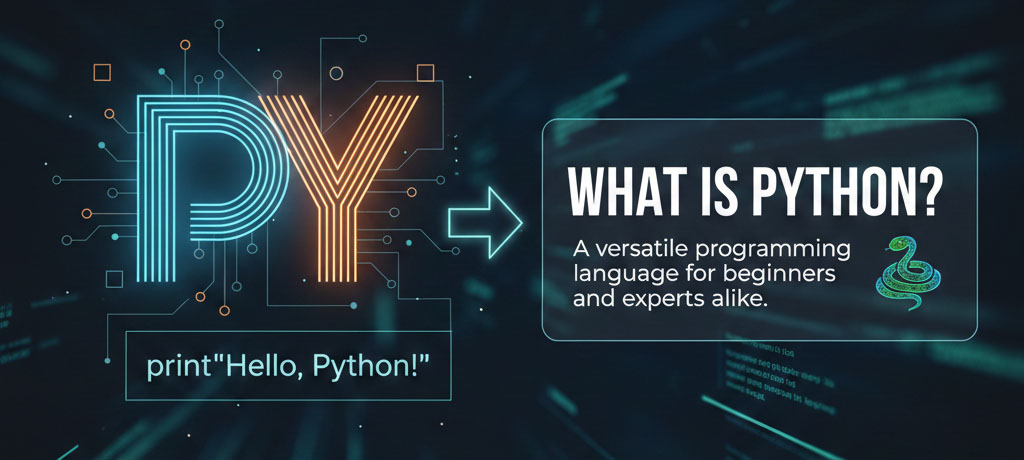
What is Python
Why Python?
History of Python
Applications of Python
Features of Python
Advantages of Python
Versions of Python
Installation of Python
Flavors of Python
Comparison between various programming languages (C, Java and Python)
Python Modes of Execution
Interactive mode of Execution
Batch mode of Execution
Python Editors and IDEs
Python Data Types
Python Constants
Python Variables
Comments in Python
Output print() function
input() function – Accepting input
Type Conversion
type(), id() functions
Escape Sequences in Python
Strings in Python
String indices and slicing
Arithmetic Operators
Comparison Operators
Logical Operators
Assignment Operators
Short-hand Assignment Operators
Bitwise Operators
Membership Operators
Identity Operators
PyCharm IDE Installation
Working with PyCharm
PyCharm components
Installing Anaconda
What is Conda?
Anaconda Prompt
Anaconda Navigator
Jupyter Notebook
Jupyter Features
Spyder IDE
Spyder Features
Conda and PIP
Block / clause
Indentation in Python
Conditional Statements
if statement
if–else statement
if–elif–else statement
while loop
while…else
for loop
range() in for loop
Nested for loop
break statement
continue statement
pass statement
Creating Strings
String Indexing
String Slicing
String Concatenation
String Comparison
String Splitting and Joining
Finding Substrings
String Case Change
Split strings
String methods
Introduction
Lists
Tuples
Sets
Dictionaries
Operations on collections
Functions for collections
Methods of collections
Nested collections
Differences between list, tuple, set, and dictionary
List Properties
List Creation
List Indexing and Slicing
List Operations
Nested Lists
List Modification
List Insertion and Deletion
List Methods
Tuple Properties
Tuple Creation
Tuple Indexing and Slicing
Tuple Operations
Nested Tuples
Tuple Methods
Differences between List and Tuple
Set Properties
Set Creation
Set Operations
Set Mathematical Operations
Set Methods
Insertion and Deletion Operations
Dictionary Properties
Dictionary Creation
Dictionary Operations
Dictionary Methods
Insertion and Deletion of Elements
Differences between List, Tuple, Set, and Dictionary
Defining a Function
Calling a Function
Properties of Function
Examples of Functions
Categories of Functions
Argument Types
Default Arguments
Non-default Arguments
Keyword Arguments
Non-keyword Arguments
Variable Length Arguments
Variable Scope
Call by Value and Call by Reference
Passing Collections to Function
Local and Global Variables
Recursive Function
Boolean Function
Passing Functions to Function
Anonymous / Lambda Function
filter() and map() functions
What is a Module?
Different Types of Modules
Creating User-defined Module
Setting Path
Import Statement
Normal Import
From … Import
Module Aliases
dir() Function
Working with Standard Modules: Math, Random, DateTime, OS
Introduction to Packages
Defining Packages
Importing from Packages
__init__.py file
Defining Sub-packages
Importing from Sub-packages
Types of Errors
Compile-time Errors
Run-time Errors
What is Exception?
Need of Exception Handling
Predefined Exceptions
try, except, finally blocks
Nested blocks
Handling Multiple Exceptions
User-defined Exceptions
raise statement
Introduction
Types of Files
Opening a File in Python
Closing a File
Writing Data to Files
tell() and seek() methods
Reading Data from Files
Appending Data to Files
with open statement
Various Functions
OOPs Features
Encapsulation
Abstraction
Class
Object
Static and Non-static Variables
Defining Methods
Difference between Functions and Methods
Constructors
Parameterized Constructors
Built-in Attributes
Object Reference Count
Destructor
Garbage Collection
Inheritance
Types of Inheritance
Polymorphism
Overriding
super() Statement
What is Regular Expression?
Special Characters
Forming Regular Expressions
Compiling Regular Expressions
Grouping
match() Function
search() Function
Matching vs Searching
Splitting a String
Replacing Text
Validations
Introduction
Installing Oracle Database
Creating Database Users
Installing Oracle Python Modules
Establishing Connection with Oracle
Closing Database Connections
Cursor Object
Executing SQL Queries
Retrieving Data from Database
Using Bind Variables
SQL Queries
Transaction Management
Handling Errors
How to Use Date & DateTime Class
Time and Date Objects
Calendar in Python
Time Module
Python Calendar Module
Introduction
getcwd()
listdir()
chdir()
mkdir()
Rename File/Directory
Remove File/Directory
OS Help
OS Operations
Python Iterator
Python Generator
Python Closure
Python Decorators
Web Scraping
PIP
Working with CSV Files
Working with XML Files
Working with JSON Files
Debugging
Introduction
Components and Events
Root Window
Fonts and Colors
Buttons, Checkboxes
Label Widget
Message Widget
Text Widget
Image
Introduction
Pandas Module
NumPy Module
Matplotlib Module
Working Examples
Installing and Working with XLSX Writer
Creating Excel Workbook
Inserting into Excel Sheet
Inserting Data into Multiple Excel Sheets
Creating Headers
Installing and Working with xlrd Module
Reading a Specific Cell, Row, or Column
Reading Specific Rows and Columns
Introduction to Web
HTML Basic Tags
HTML Formatting Tags
HTML Lists
HTML Tables
HTML Images
HTML Anchors
HTML Forms
HTML Input Elements
HTML Form Attributes
HTML Frames
HTML GET/POST
HTML5 Drag & Drop
HTML Canvas
HTML Multimedia
CSS Basics
CSS Introduction
CSS Syntax
CSS Styling
Styling Backgrounds
Styling Fonts
Styling Links
Styling Lists
Styling Tables
CSS Borders
CSS Selectors
CSS Fonts
CSS Text Effects
CSS Backgrounds
CSS Keyframes Rule
CSS Multiple Columns
CSS 2D Transforms
CSS 3D Transforms
CSS Transitions
CSS Animations
CSS User Interface
Bootstrap Introduction
Bootstrap Images
Bootstrap Tables
Bootstrap Forms
Bootstrap Dropdowns
Bootstrap Buttons
Bootstrap Button Groups
Bootstrap Helper Classes
Bootstrap Panels
Bootstrap Alerts
Bootstrap Plugins Overview
SQL Introduction
Installing a Database
Creating Database
Creating Tables
Insertions
Deletions
Updates
Groupings and Aggregations
Eliminating Duplicates
Filtering
Ordering
Merging Tables
Horizontal Merging
Vertical Merging
Types of Joins
Built-in Functions
Working with Queries
Sub-queries
What is Django?
Why Django? Key Advantages
History of Django
Features of Django
Characteristics of Django
Companies Using Django
Difference between MVC and MVT
Models, Views, and Templates
What is a Web Framework?
What is a Server?
HTTP Requests and Responses
What is a Web Application?
Steps in Developing Web Application
Django Architecture
Django Installation
Virtual Environment
Working with PyCharm
Working with Atom
Developing First Django Application
Exploring manage.py
Exploring urls.py
Exploring settings.py
Exploring admin.py
Exploring models.py
Exploring views.py
Application Creations and Examples
Steps in Application Creation
Working with Views
Working with HTML and CSS
Working with Bootstrap
Django Application Creation in Atom
Django Application Creation in PyCharm
Projects with Multiple Applications
Reusing Applications in Different Projects
Working with Static Files
Requesting a Web Page via URL
Rendering Web Page via View Function
Rendering HttpResponse to Templates
Applications with Multiple Views
Understanding Context Object and Dictionary Type
GET and POST Methods
Template Tags
Template Filters
Template API
Passing Dynamic Content to Template
Passing Multiple Dict Values to Template
Loading Static Files
Adding Image Files to Template
Advanced Templates
Template Library
Custom Template Filters
Custom Template Tags
Registering the Tags
Activating the Admin Interface
Creating Super User for Admin Site
Using the Admin Site
How to Use the Admin Site
Working with Models and Databases
Defining Models
Model Fields
Defining Forms
ModelForms
Make Migrations and Migrate
Registering Models in settings.py
Registering Models with Admin Site
Connecting with SQLite3
Connecting with MySQL
Connecting with Oracle
Django ORM
Faker Module
Class-Based Views
Form Validation
Rendering Forms
Crispy Forms
Multi-select Field
Embedded Video
Uploading and Downloading Files
Working with Audio and Video
Integrating with Legacy Databases and Applications
Session and User Registrations
Security
Django Deployment
Other Contributed Frameworks

Yes. Freshers with strong skills can easily start a career as a full stack Python developer.
Yes. Online live classes are available with flexible timings.
Yes. Institutes like Openmind Technologies offer personalized training sessions
Trainers are industry professionals with 10+ years of experience in software development.
PCEP, PCAP, Django, Flask, and institute-level full stack developer certifications.
Freshers can expect ₹4.5–7 LPA, while experienced professionals can earn higher packages.
Typically 4 to 6 months, depending on course structure.
UPI, Net Banking, Debit/Credit Cards, and EMI options are usually available.
Yes. Demo classes are offered for learners to evaluate before enrolling.
Students can attend multiple batches depending on institute policy.
You can contact the Openmind Technologies admissions team via phone, email, or directly at their Ameerpet office.
Usually 6–12 months, based on institute policy.