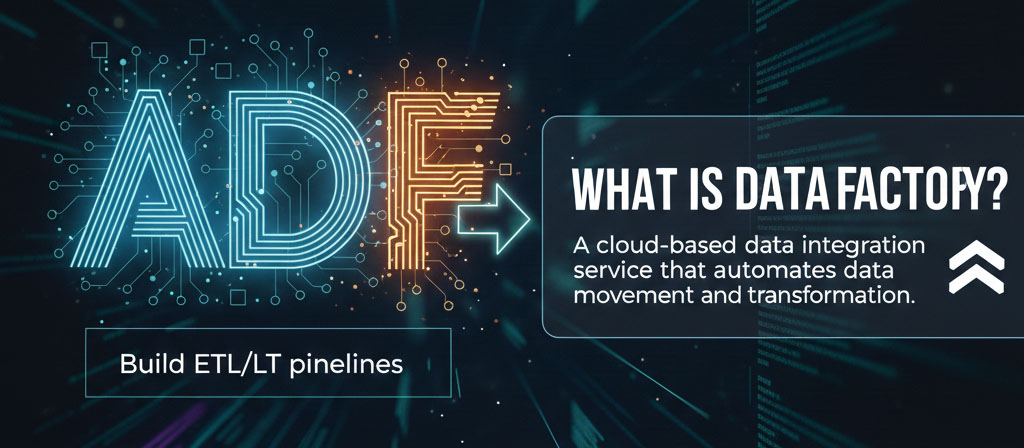
Looking to step into the world of modern data integration? At Openminds Technologies, our Azure Data Factory course in Hyderabad helps you clearly understand how data is collected, moved, and transformed across different systems in real-world environments. From building ETL pipelines and scheduling workflows to connecting cloud and on-premise data sources, this course focuses on practical skills used by data engineering teams every day.
Expert Trainer | Hands-on Training

duration






Generative AI is being adopted by a wide range of individuals and businesses across various industries. It is used to streamline tasks, enhance creativity, and create new products and services.

For building ETL pipelines and managing big data workflows.

• What is Linked Service?
• What is Dataset?
• What is Pipeline?
• Auto Resolve integration Runtime
• Self-hosted Integration Runtime
• Azure SSIS Integration Runtime
• Schedule Trigger
• Tumbling Window Trigger
• Event Trigger
• Copy Activity
• Lookup Activity
• Stored Procedure Activity
• Get Metadata Activity
• Execute Pipeline Activity
• If Activity
• For each Activity
• Filter Activity
• Until Activity
• Set Variable Activity
• Append Variable Activity
• Wait Activity
• Web Activity/ Web Hook Activity
• Switch Activity
• Delete Activity
• Fail Activity
• Source
• Sink
• Aggregate
• Alter row
• Assert
• Cast
• Conditional split
• Derived column
• External call
• Exists
• Filter
• Flatten
• Flowlet
• Join
• Lookup
• New branch
• Parse
• Pivot
• Rank
• Select
• Sink
• Sort
• Stringify
• Surrogate key
• Union
• Unpivot
• Window
• Dataset parameters
• Pipeline Parameters
• Global Parameters
• Variables
• Send Mail
• Trigger Pipelines
• Copy Files from source to Destination
• Credentials
• Modules
• Runbooks
• Run SQL Commands from Runbook
• Run Pipeline from Runbook
• Key Vault
• Service Principal
• Managed Identity
• Blob
• Data lake
• Copy Data from Blob to Blob
• Copy Data from Blob to SQL Server
• Copy Data from SQL Server to SQL Server
• Copy Data from On Premise SQL server to
• Azure SQL Server
• Copy Data from Multiple Files to Single Table in
SQL Server
• Copy Data from Multiple files to multiple Tables
• Copy Data from Multiple files to multiple Tables
with different Structure
• Copy Data from Multiple Tables to multiple Tables
with different Structure
• Create pipeline to Copy Data from file if exits
• Copy Data from Excel file to SQL Server
• Copy Data from Multiple Excel files with Multiple Excel
Sheets into SQL Server
• Load data from Multiple Databases from Multiple tables
using Single Pipeline
• Load data from REST API using ADF
• Load data from Json file using ADF
• Load data from parquet/Avro file using ADF
• Create a pipeline to implement Nested foreach loop
• Create a pipeline to insert metadata Data into Azure
SQL server
• Create a pipeline to load data on incremental basis
• using Date using Lookup Activity
• Create a pipeline to load data on incremental basis
• using Data flow Transformations
• Create a pipeline to load Latest file using ADF
• Create a pipeline to load data from CSV, Excel and SQL
Table using single pipeline
• Manual Deployment
• Using ARM Templates
• REST API using ADF
• CDC (Change Data Capture) using ADF
• JSON using ADF

Yes, freshers can definitely choose a career in Azure Data Factory. ADF's low-code/no-code interface makes it a great entry point into data engineering.
Yes, many training institutes in Hyderabad offer one-on-one or corporate training options for their Azure Data Factory courses. This allows for personalized attention and a customized curriculum to meet individual or company-specific needs.
Industry experts with 8+ years of experience in Azure and data engineering.
The expected salary after completing an Azure Data Factory course in Hyderabad varies based on experience. For a fresher, it might start at a lower range, while a professional with a few years of experience in related fields can expect a significantly higher salary.
UPI, Net Banking, Debit/Credit Cards, and EMI options are available.
Reach out to the Openmind Technologies admissions team directly. You can also visit their institute in Ameetpet for in-person conversation.
Reach out to the Openmind Technologies admissions team directly. You can also visit their institute in Ameetpet for in-person conversation
Generally, recordings are accessible for 6–12 months post-course completion.